Program types and stages for academic research
Last updated: November 12, 2026
Introduction
A grant moves through a life cycle: an idea becomes preliminary data, preliminary data becomes an award, the award funds active work, and active work becomes papers. Program types and stages let your Pluto workspace follow that life cycle. A program type is a category of program with its own ordered list of stages, and every program has one type and sits in one stage at a time.
A research program type to start from
Most academic labs start with a single type built around the grant life cycle:
Research program Pre-funding, Preliminary research, Active work, Publication preparation, Published
Stage | What it usually means |
|---|---|
Pre-funding | Writing or resubmitting the proposal. Gathering preliminary data. |
Preliminary research | Early experiments and public data analyses that de-risk the aims. |
Active work | The award is funded and the lab is working through the aims. |
Publication preparation | Assembling figures and evidence for a manuscript or progress report. |
Published | Results are out. The program stays as a record for renewals and follow-on work. |
Other types academic labs use
Publication Exploration, Validation, Manuscript, Published. Useful when you want to track individual papers separately from the grants that fund them.
Collaboration or consortium For example: Planning, Data collection, Joint analysis, Reporting. Useful when several labs contribute data to a shared question.
These are starting points. Rename stages to match how your lab, department or funder thinks about progress.
Seeing your lab's work by stage
On the Programs page, switch from Table to Kanban and choose a program type from the menu at the top of the board. Each column is a stage and each card is a program, showing its status, lead, when it was last updated and a coverage bar summarizing how much evidence it has built. Programs without a stage yet appear under Unassigned.
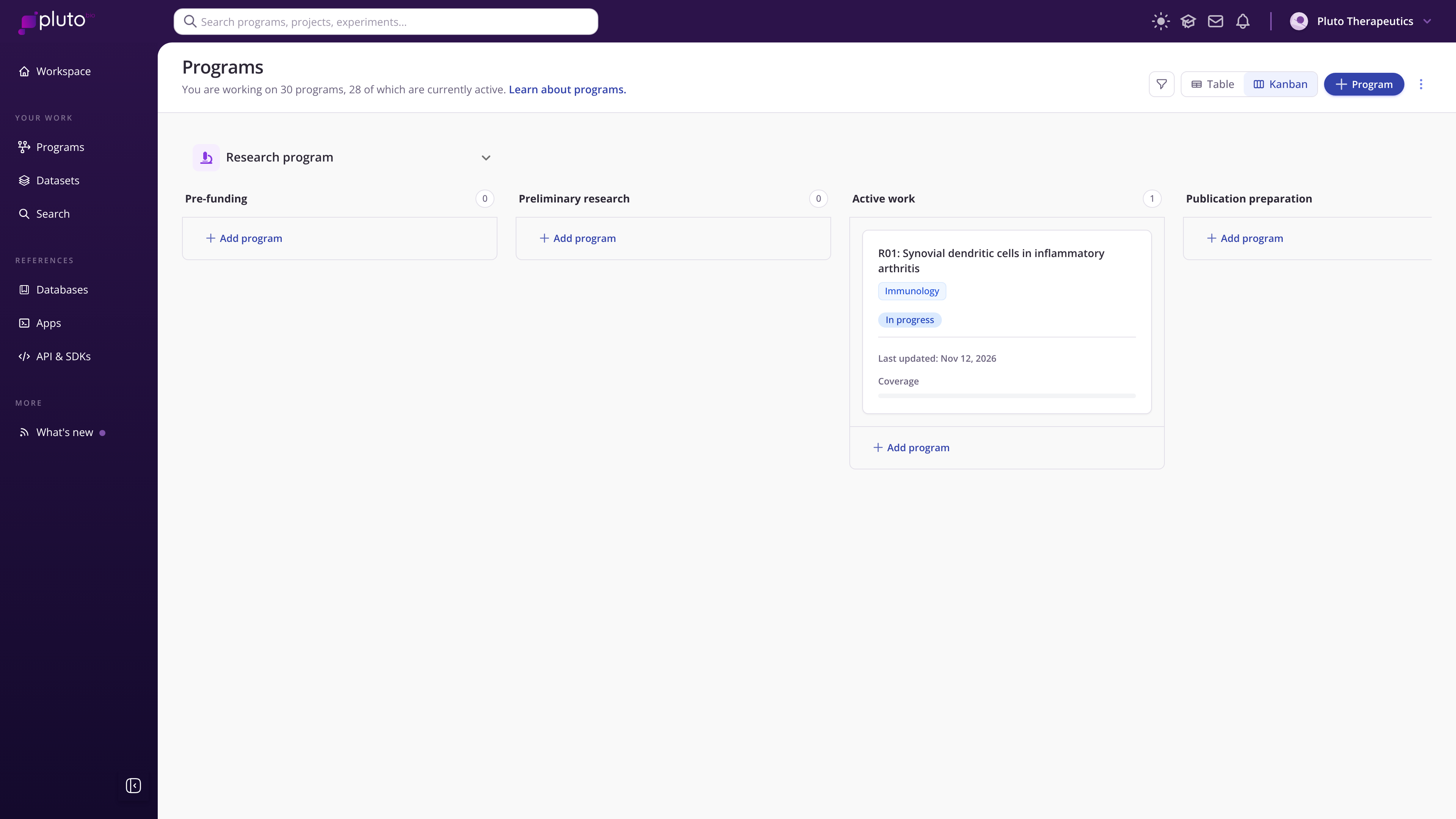
Kanban view with the Research program stages
Tips for academic labs
Keep stages tied to milestones your PI already tracks, such as submission, award, progress report and publication.
Use one type for the whole lab to start. Add a second type only when a group of programs truly moves through different milestones.
Move programs when something real happens. A card in "Publication preparation" should mean figures are being assembled.
Setting up program types
Organization administrators create and edit program types in Organization settings > Program settings. Select New program type, give it a name and appearance, and define its ordered stages. See Program types & stages for step-by-step instructions.