Program types and stages for drug discovery teams
Last updated: November 12, 2026
Introduction
Every drug discovery organization has its own pipeline language. One team gates on "Hit-to-lead" and "Lead optimization", another on "IND-enabling" and "Phase I". Program types let your workspace speak that language. A program type is a category of program with its own ordered list of stages, and every program in Pluto has one type and sits in one stage at a time.
Once your types and stages are set, every dataset, analysis and plot linked to a program also carries the context of where that program is in its journey.
Seeing your pipeline by stage
On the Programs page, switch from Table to Kanban to see your portfolio as a pipeline. Choose a program type from the menu at the top of the board: each column is one of that type's stages, and each card is a program.
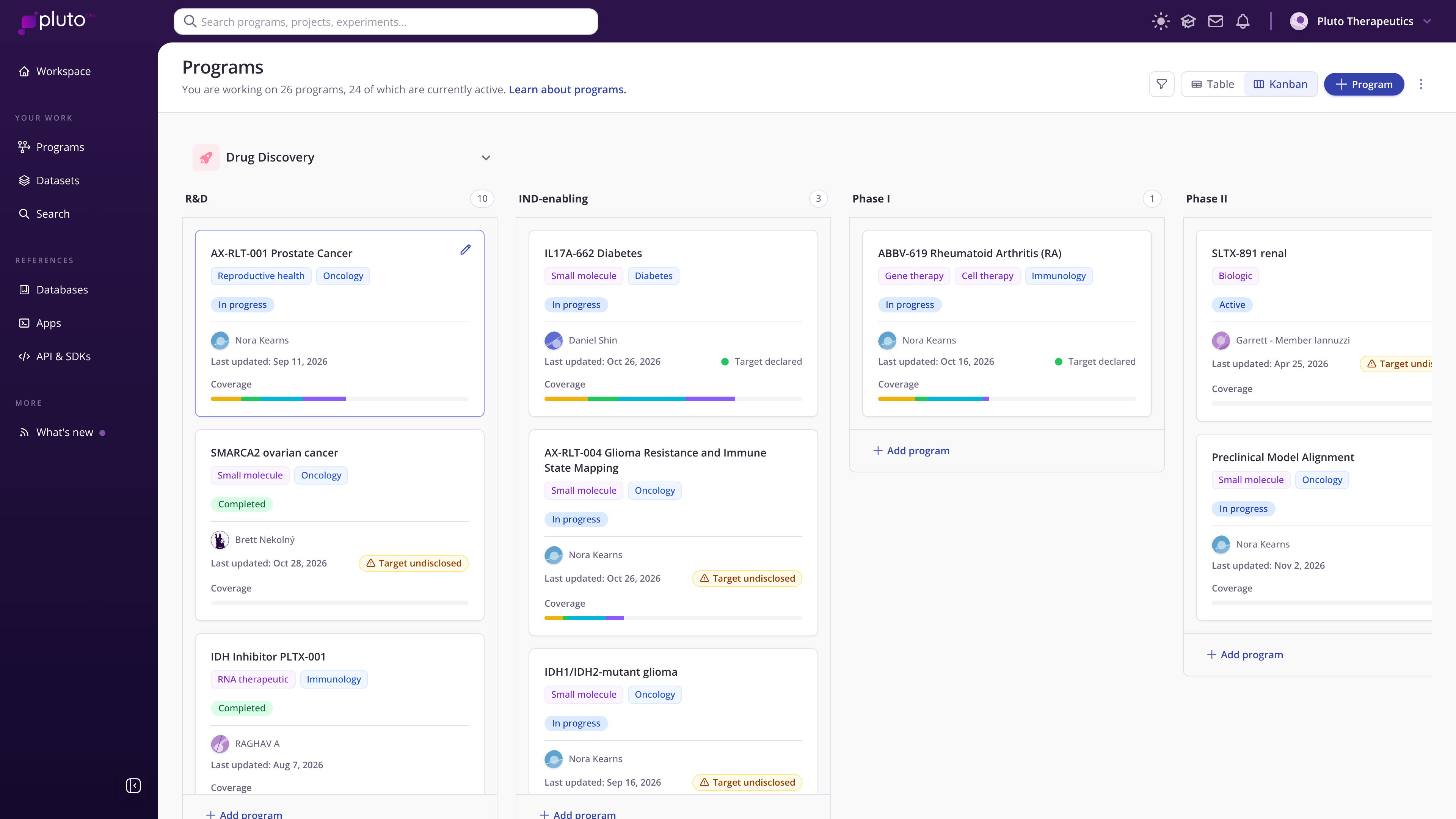
Kanban view with Drug Discovery program stages
Each card shows the program's modality and therapeutic area, its status, its lead, when it was last updated and a coverage bar that summarizes how much framework evidence the program has built up. Programs without a stage yet appear under Unassigned.
Example program types for drug discovery
These are starting points. Rename stages to match your own stage gates.
Therapeutic program R&D, Preclinical, IND-enabling, Phase I, Phase II
Drug discovery program Target discovery, Target & model characterization, Mechanism & selectivity profiling, Translational evidence building, Phase I / II biomarker science
Biomarker strategy program Biomarker discovery, Biomarker prioritization, Assay & sample type validation, Clinical cohort validation, Regulatory package
Model development program Model design, Model characterization, Disease relevance validation, Perturbation & response profiling, Approved for program use
Choosing types that work for your team
Mirror your governance. If a portfolio committee reviews programs at fixed gates, make each gate a stage. Moving a card then reflects a real decision.
Separate efforts that answer different questions. A biomarker effort and a therapeutic effort move through different milestones, so give them different types rather than forcing one set of stages on both.
Keep stages few and meaningful. Four to six stages is usually enough to show progress without turning the board into a checklist.
Setting up program types
Organization administrators create and edit program types in Organization settings > Program settings. Select New program type, give it a name and appearance, and define its ordered stages. Stages can be edited at any time. See Program types & stages for step-by-step instructions.