Inside a research program: a tour of every tab
Last updated: November 12, 2026
Introduction
Open a program from the Programs page and you land on its Overview. The program's own navigation runs down the left side: Overview, Framework, Datasets, Analysis spaces, Target lists, Resources, Users and History. This article walks through each one from the point of view of a grant-funded lab.
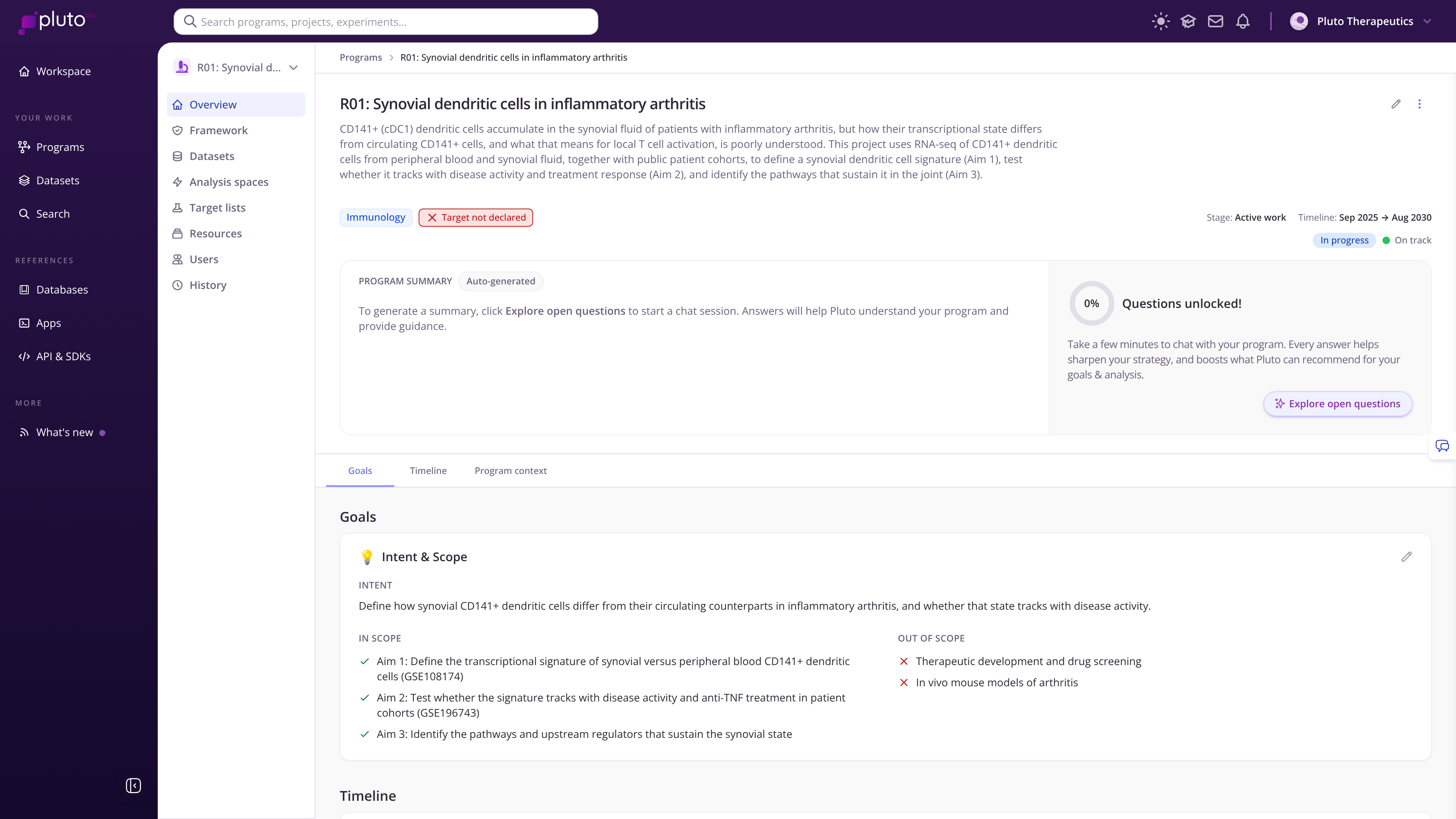
An example grant program's Overview with program navigation on the left
Overview: your grant at a glance
The top of every program tab shows the program's description, research area tags, its stage, lead, timeline, status and health. Paste your project summary or abstract into the description so everyone in the lab starts from the same framing.
Program summary is generated automatically from everything Pluto knows about the program.
Context details capture the indication or disease area, program type, stage, any declared target, and what is in and out of scope.
The panel beside the summary shows how complete your program context is and invites you to answer a few more questions.
Below that are three tabs:
Goals: your intent, what is in scope and what is out of scope. This is a natural home for your specific aims.
Timeline: activities and milestones over time, such as aim deadlines, progress reports and submission dates.
Program context: a living document maintained by Pluto's Interviewer. Select Add context via chat to describe your project conversationally and let Pluto capture it.
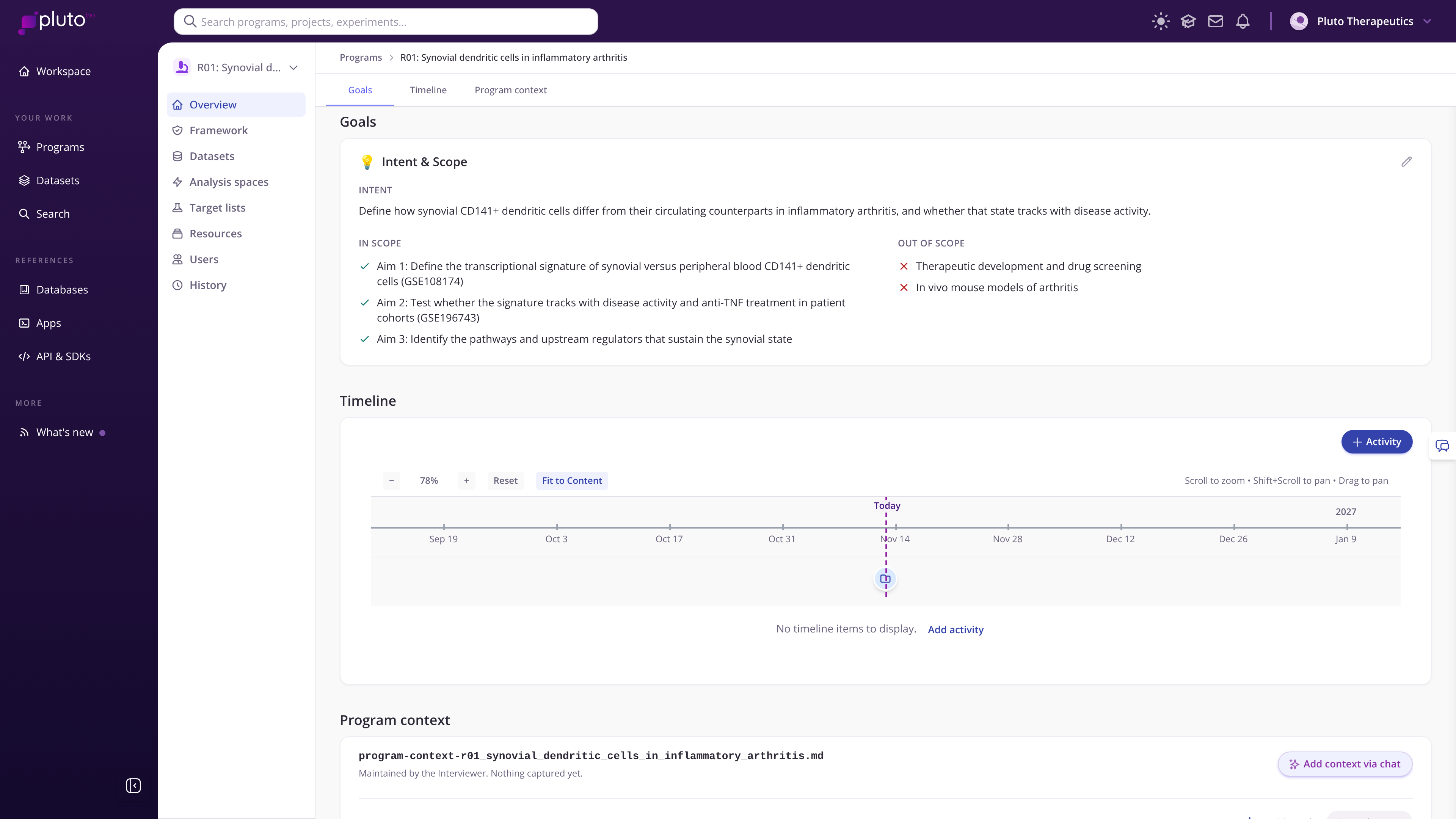
The Goals tab with three specific aims listed as in scope
Framework: what evidence do you have?
The Framework tab tracks which of the program's key questions are supported by your data. Each dimension holds criteria, and each criterion is marked as supported, partial or missing. A new program starts without a framework: select Choose a template to attach one.
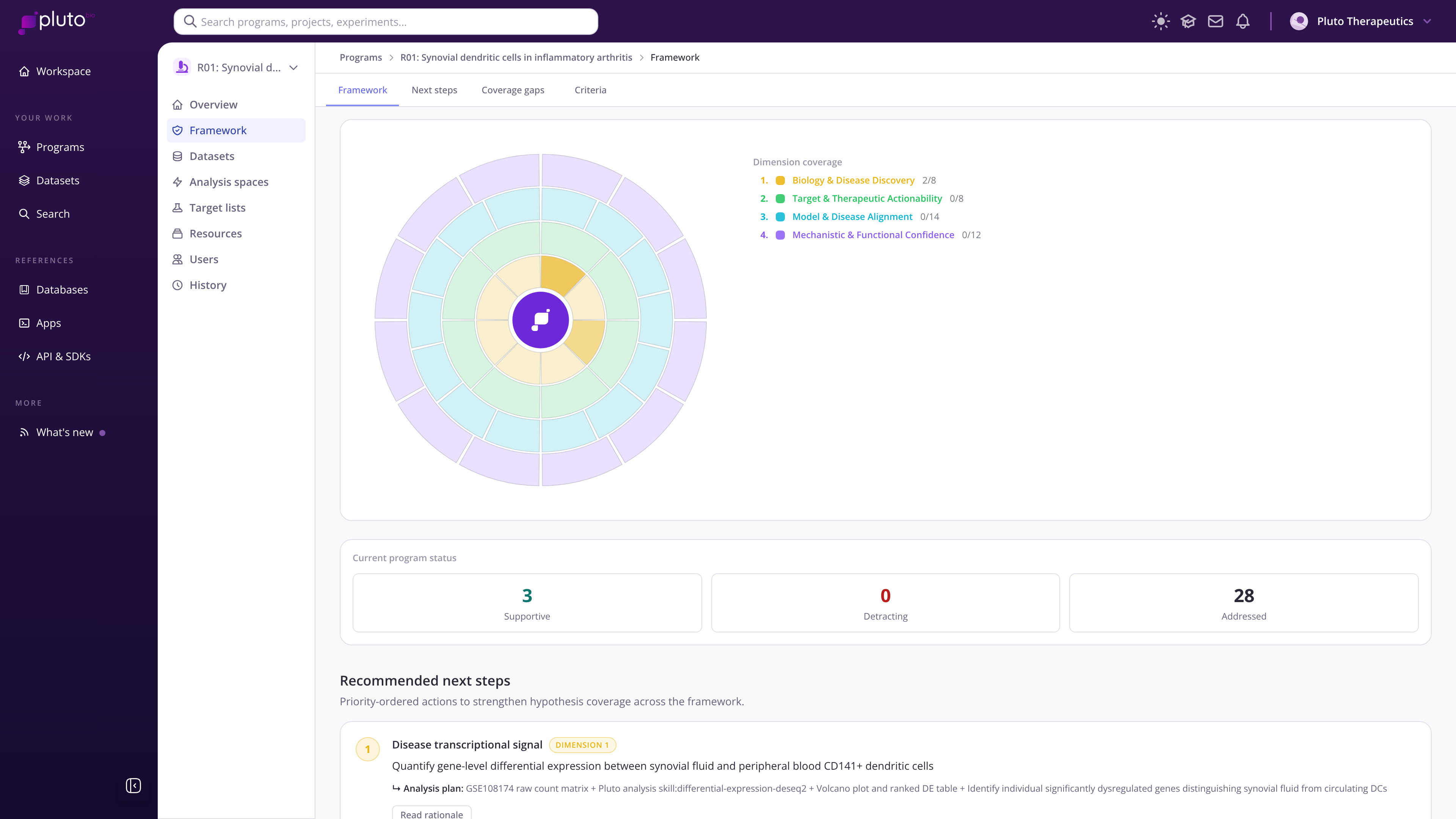
Dimension coverage for the example grant, with 2 of 8 Biology and Disease Discovery criteria addressed early in Aim 1
Next steps recommends analyses that would strengthen your evidence, each with an analysis plan.
Coverage gaps lists criteria that still lack evidence, which is useful when planning preliminary data for a renewal.
Criteria breaks the framework down dimension by dimension, showing which criteria are supported, partial or missing.
Configure framework lets you add, rename or remove dimensions and criteria, so you can shape them around your aims.
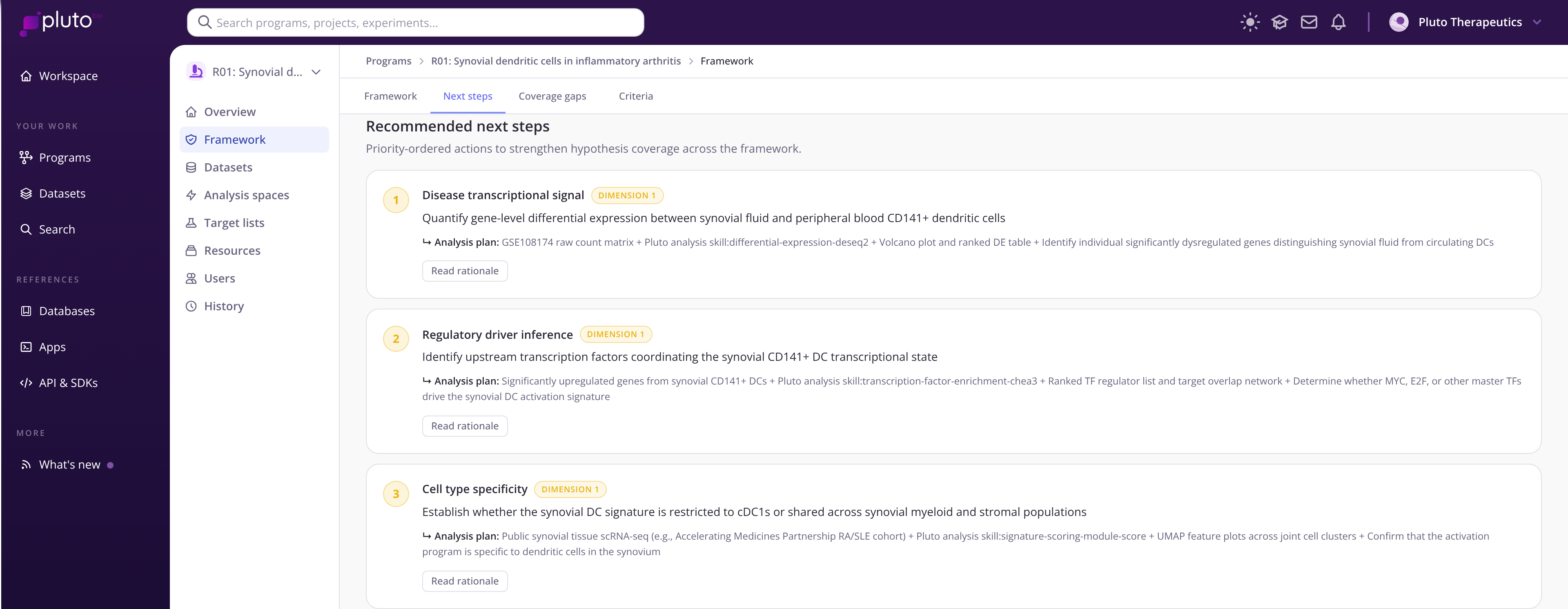
Framework suggestions for next steps
Datasets: everything the grant has generated or reused
The Datasets tab lists every dataset linked to the program, with its assay, organism, folder, status and owner.
Select Dataset to create a new dataset, such as the RNA-seq run that just came back from your core.
Select Search available datasets to link data already in Pluto, including public GEO studies you want to reanalyze or compare against.
Open any dataset to see its Overview, Metadata (where the data came from and ontology annotations), Protocols (how it was generated, with attachments) and History. Recording protocols here makes methods sections much easier to write later.
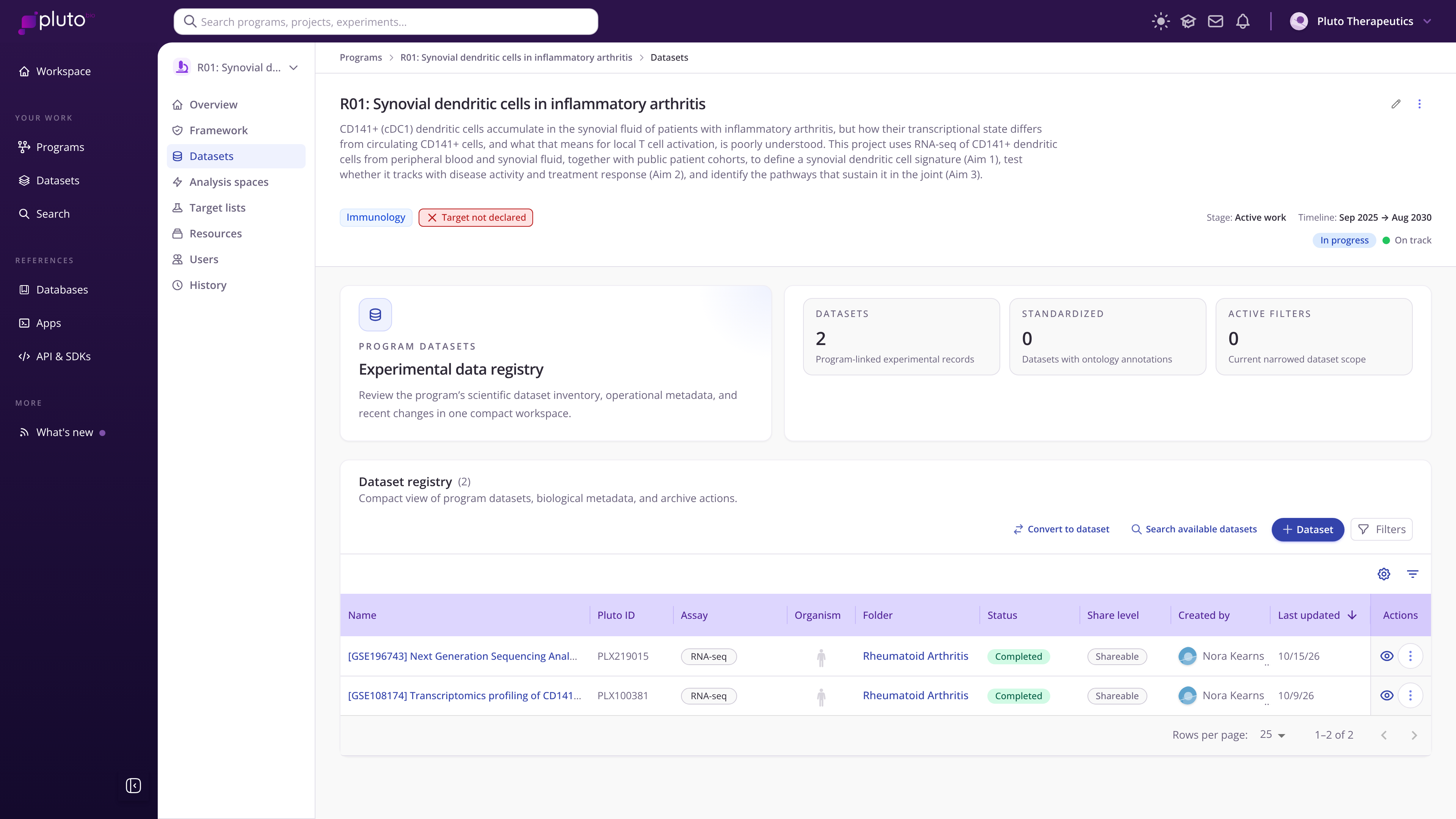
Two public GEO datasets linked to the example grant
Analysis spaces: one question at a time
An analysis space collects the analyses and plots that answer one question, often one aim or sub-aim. Each space states its hypothesis.
Canvas: arrange plots so they tell the story of the result, much like assembling a figure.
Summary: key findings and supporting evidence, a breakdown of analyses and the datasets used.
Results: every analysis in the space, ready to search, filter and download.
Insights: custom bioinformatics reports from Pluto's team, if your lab has requested one.
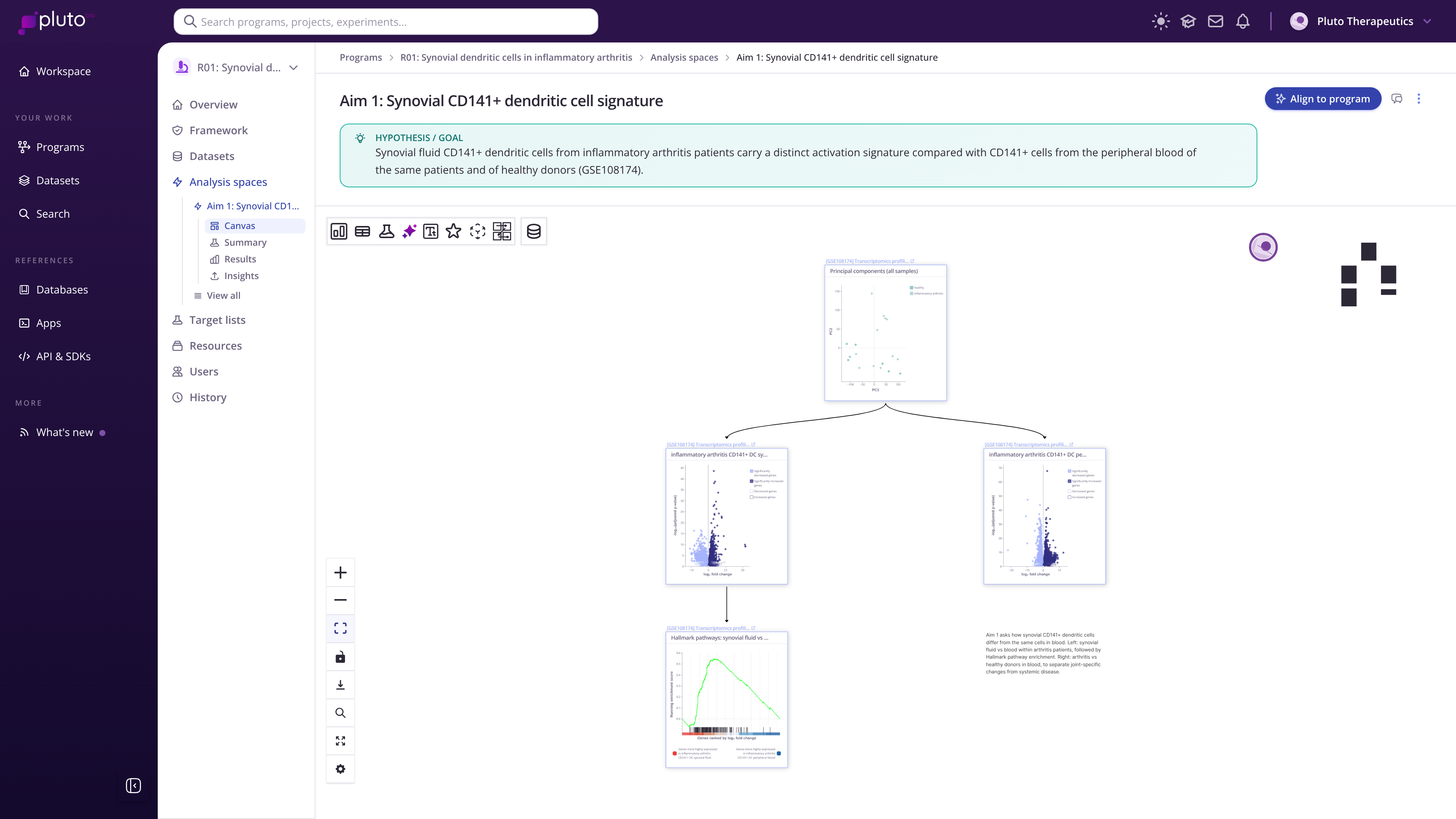
Program's analysis space: Aim 1 canvas
Target lists
If your grant focuses on specific genes or proteins, Target lists shows the declared target and the curated lists of candidates you are evaluating.
Resources
Resources holds biomarker lists, literature sets and other items pinned to the program, such as the key papers your aims build on.
Users
Users shows the program owner, usually the PI, and everyone who can view or edit the program: students, postdocs, staff scientists and collaborators.
History
History records every change to the program and its datasets and analysis spaces, with who made it and when. It is a reliable record when people rotate through the lab.