Working in the context of your grant
Last updated: November 12, 2026
Introduction
Labs change constantly: students graduate, postdocs move on, and the person who ran the analysis behind Figure 3 is often not the person writing the renewal. When every dataset and analysis lives inside the program for the grant it serves, that knowledge stays with the lab. This guide shows how to make the program the place your work starts.
Start from the program
Your Workspace home shows quick stats and snapshots of the programs that matter most to you. Open Programs to jump into a grant, or use Search at the top of any page to find a program, project or dataset by name.
Students and postdocs: from aim to figure
1. Know which aim you are working on. Check the program's Goals and Framework tabs. Next steps and Coverage gaps show which questions still need evidence.
2. Bring in the data. On the Datasets tab, select Dataset to add new data from your experiments, or Search available datasets to link public studies from the Global Data Commons for comparison or validation. Fill in Protocols while the details are fresh.
3. Give each question its own analysis space. On the Analysis spaces tab, create a space for one aim or sub-aim and write its hypothesis in plain language. You can also start from a dataset by selecting Analyze this dataset.
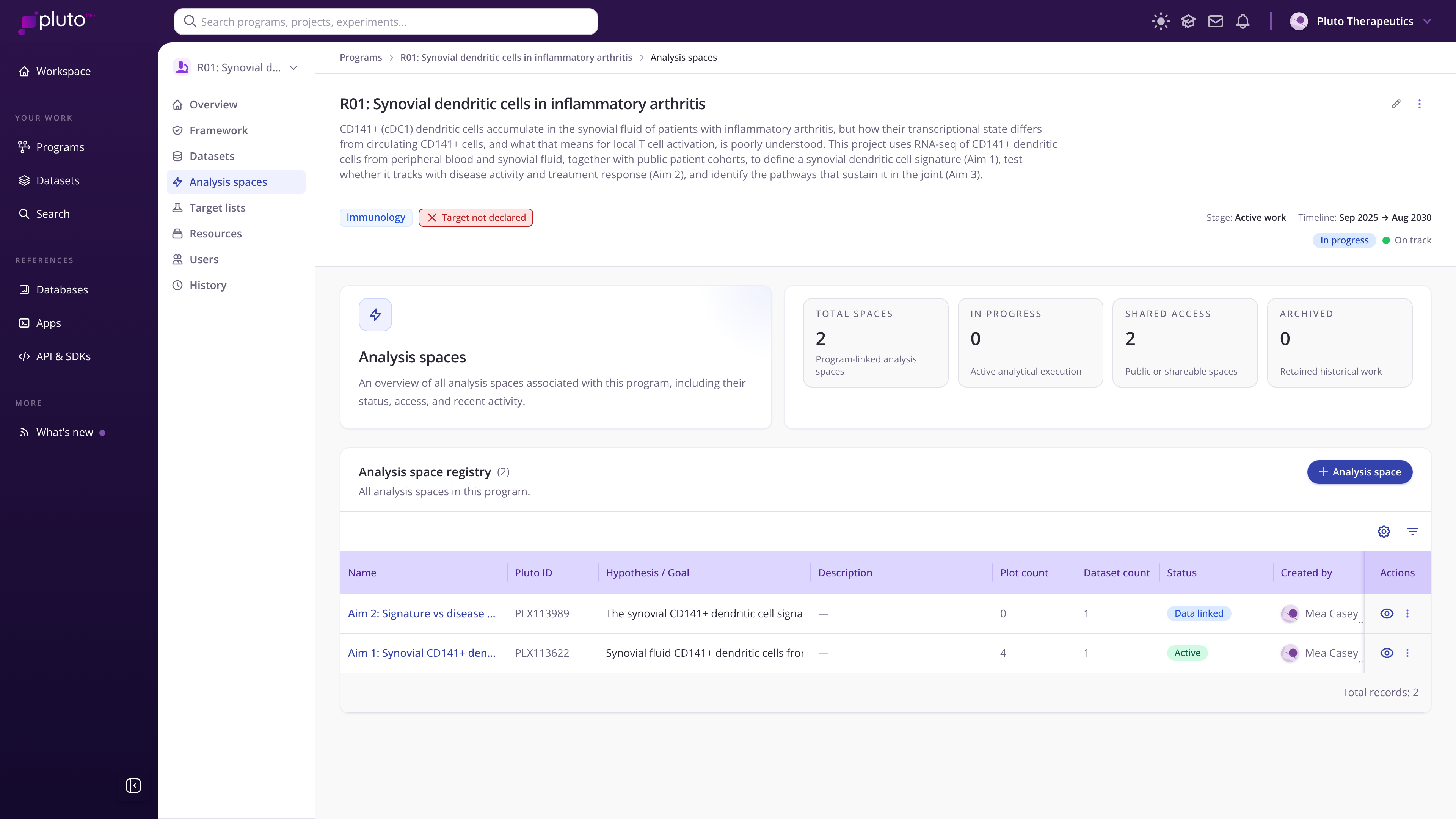
One analysis space per aim in an example grant
4. Build the figure on the canvas. Arrange plots so they read from overview to detail. The Summary tab turns the canvas into key findings you can lift into a results section or lab meeting slides.
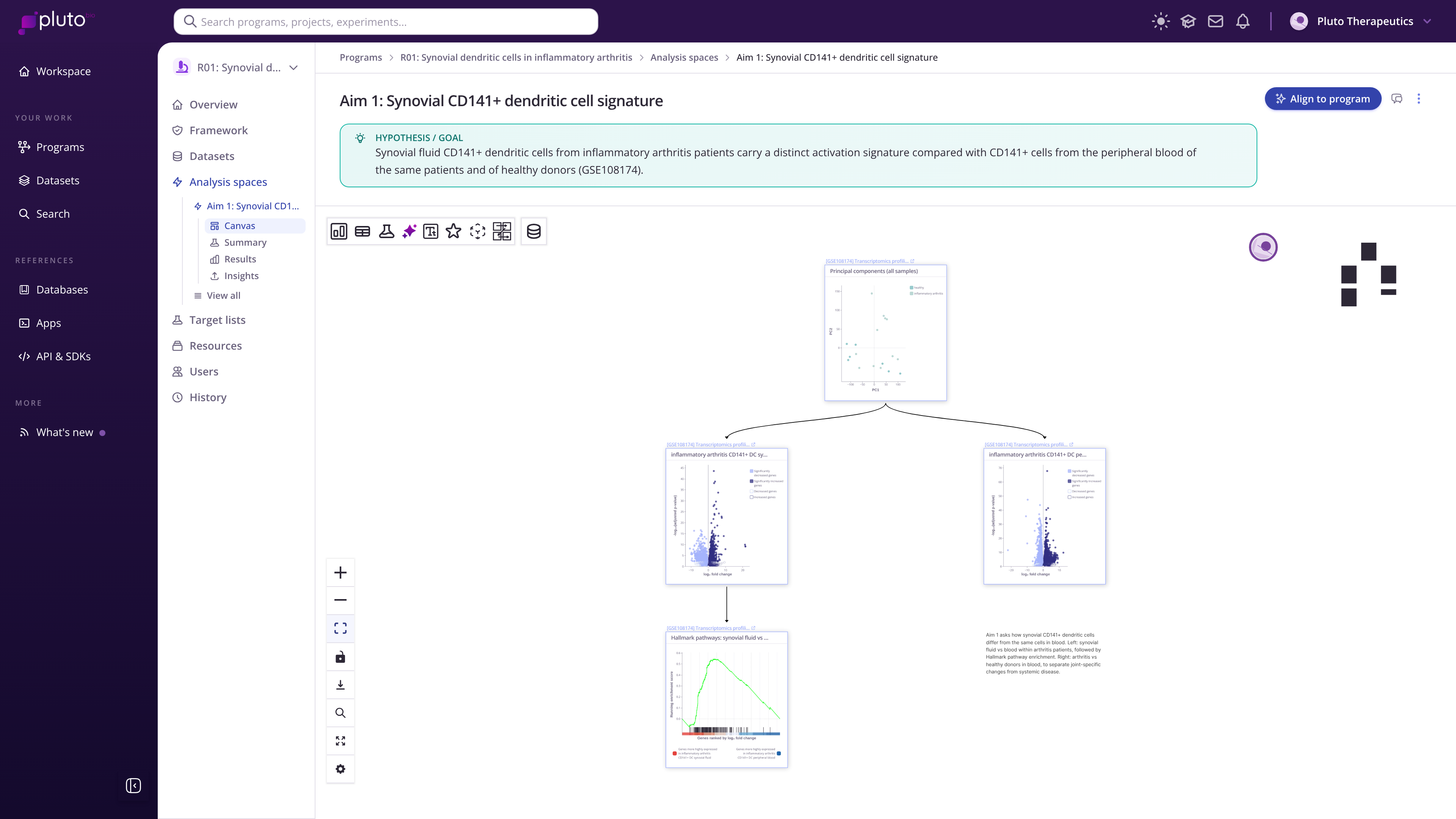
Aim 1 canvas: a PCA branching into two differential expression comparisons and a pathway enrichment
5. Connect results back to the program. Select Align to program in the analysis space so its findings count toward the program's framework. Coverage on the Framework tab updates to reflect what you have shown.
PIs: keep the grant on track
See progress by aim. Analysis space summaries and the Framework tab show where evidence is strong and where it is thin.
Plan the next experiment. Coverage gaps point to the questions a reviewer is most likely to ask about.
Prepare progress reports and renewals. Each analysis space already holds the hypothesis, the datasets and the key findings for one question.
Onboard new lab members. Add them on the Users tab and point them at the program: the History tab shows what has been done and by whom.
Move the stage when something real happens, such as an award, a submission or a publication.
Habits that pay off
One grant, one program. Create the program as soon as you start writing the proposal.
Name analysis spaces after the question they answer, such as "Aim 1: Synovial CD141+ dendritic cell signature".
Link public datasets rather than downloading and re-uploading them.
Use Add context via chat on the Overview's Program context tab after major lab meetings or study section feedback.