Comments and notes
Last updated: June 4, 2025
Easily share your comments and notes that accompany your analyses with collaborators
Data analysis involves collaboration & nuanced interpretation. With Pluto, you can keep these critical conversations in the context of your results, not buried in an email thread.
This is a great way to add conclusions, information about your methods or discussion of the results/experiment for sharing with people in your group and collaborators.
Comments and notes can be added to several objects in Pluto:
Experiments
Plots
Single Cell Preprocesses
Biomarkers & targets
Literature papers
Types of messages
There are two kinds of messages that you can leave on an object, a Comment or a Note. Comments are typically used for conversations and threaded replies with your collaborators. Notes are typically used for making note of a key finding.
Mentioning collaborators
Type an @ symbol and start typing a collaborator's name to see them appear in a list. Select the user you'd like to tag.
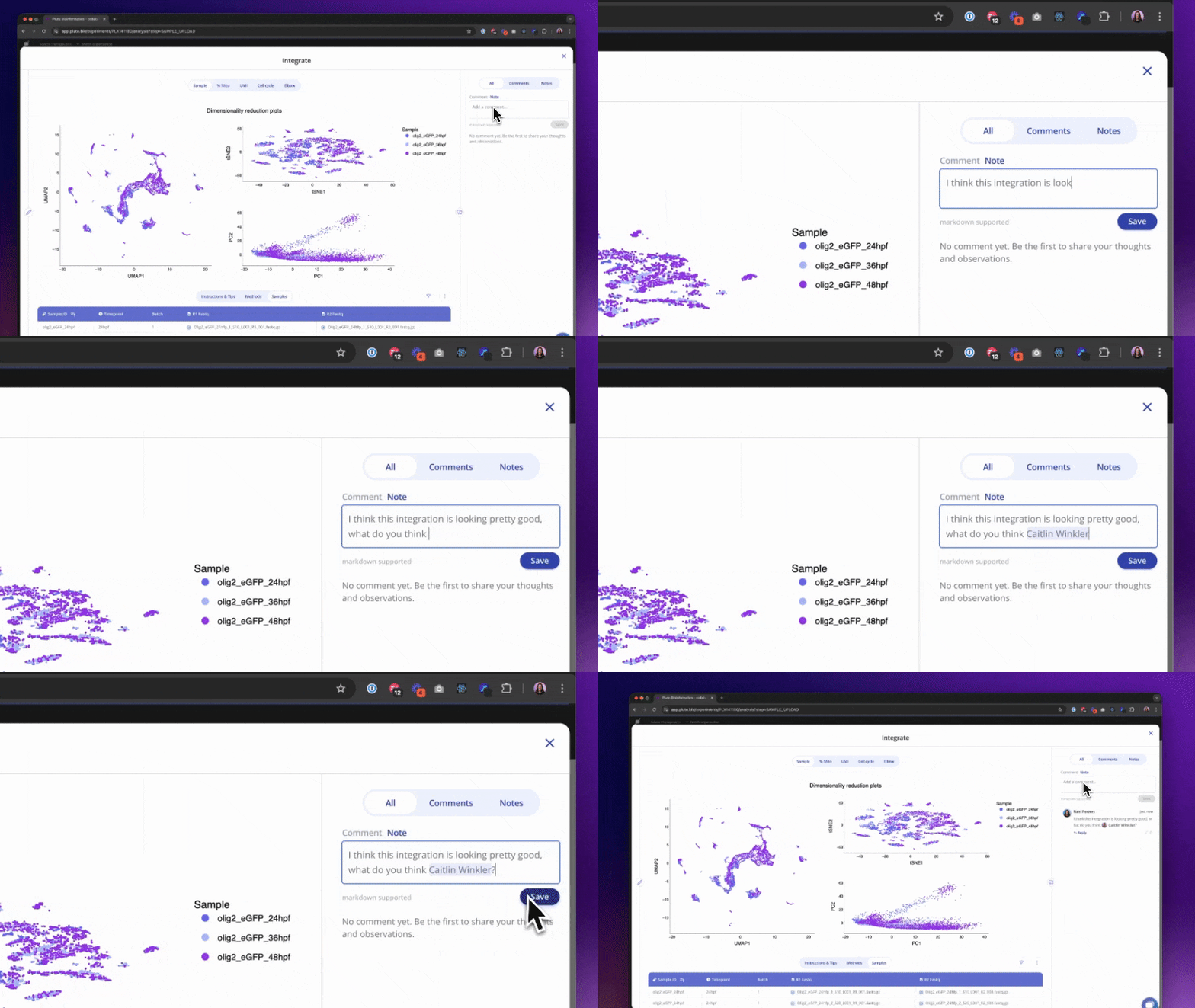
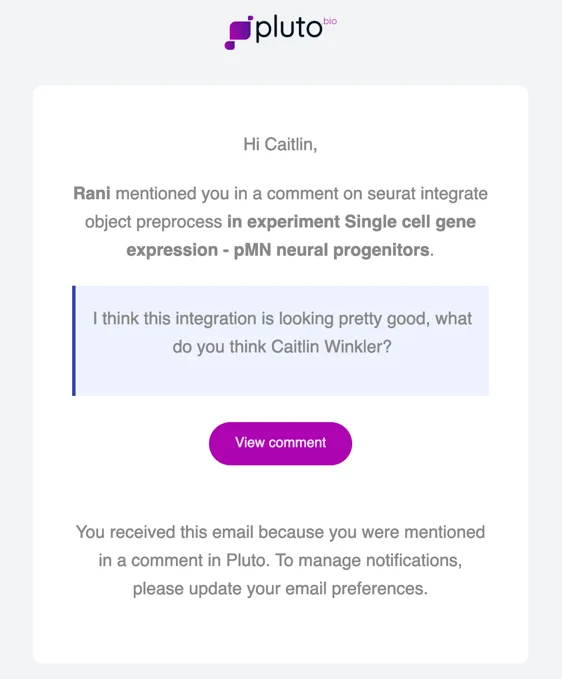
When you click Save, any collaborators tagged will receive an email notifying them about your message with a link to reply.
Experiment comments & notes
Plot comments & notes
Preprocessing step comments & notes
Biomarker/target comments & notes