Welcome to Pluto!
Last updated: June 3, 2025
Signing in for the first time? Here's what you need to know
Introduction
Pluto is a comprehensive platform that empowers scientific teams to perform data analysis, literature review, and other research activities for translational science. Common applications include target discovery, biomarker identification, and underlying biology / MoA investigations.
Your team or organization will collaborate in a workspace in Pluto. You workspace will have different kinds of data depending on your goals, and the navigation may have different styling applied to match your company's branding, but it will look approximately like the screenshot below:
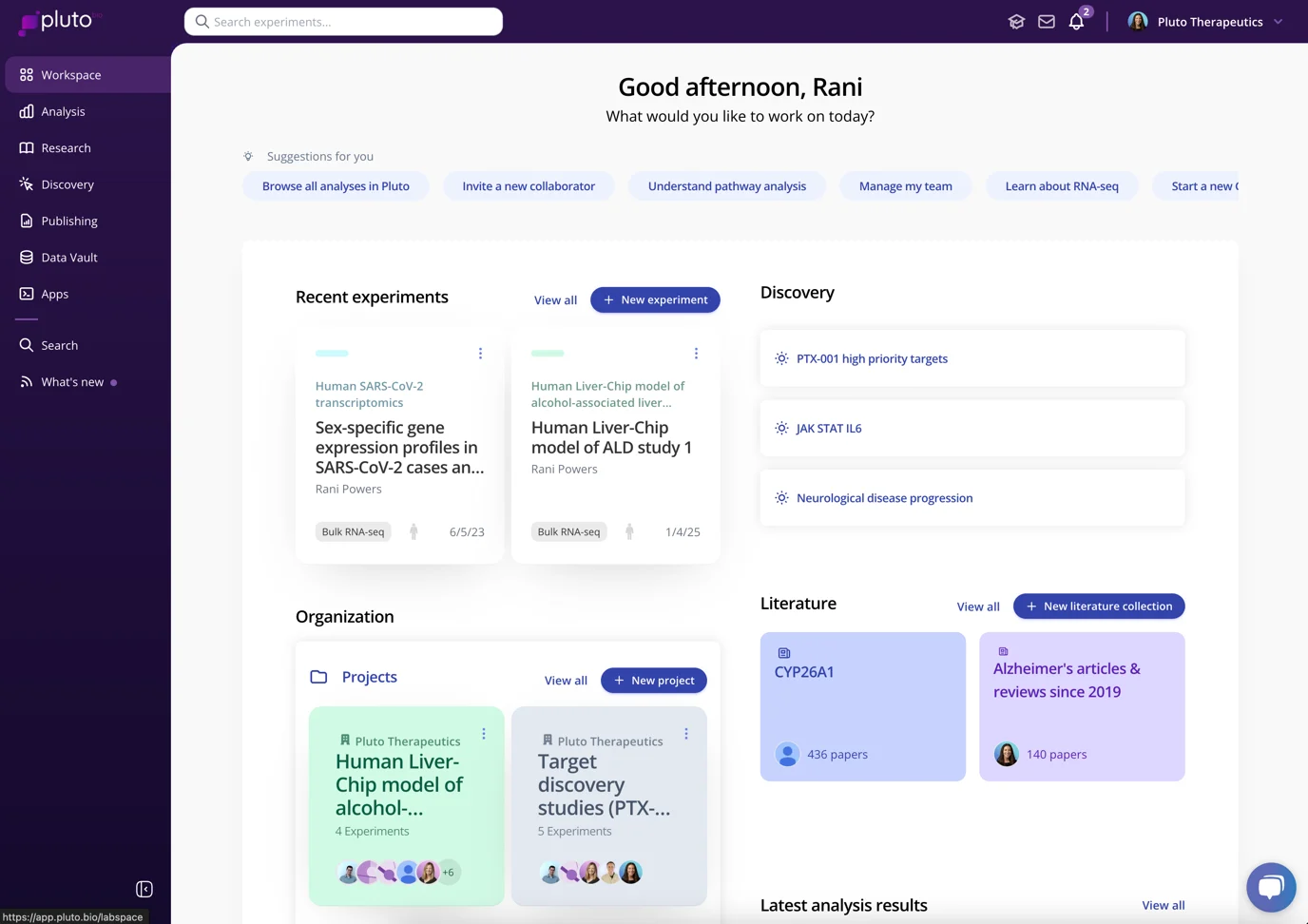
Each workspace is a private environment that can only be access by the specific team or organization that owns it. New users must be invited by a workspace admin in order to gain access.
Accepting your invitation to Pluto
Once invited by an admin, you'll receive an email notification. Tap the Accept invitation button to get started:

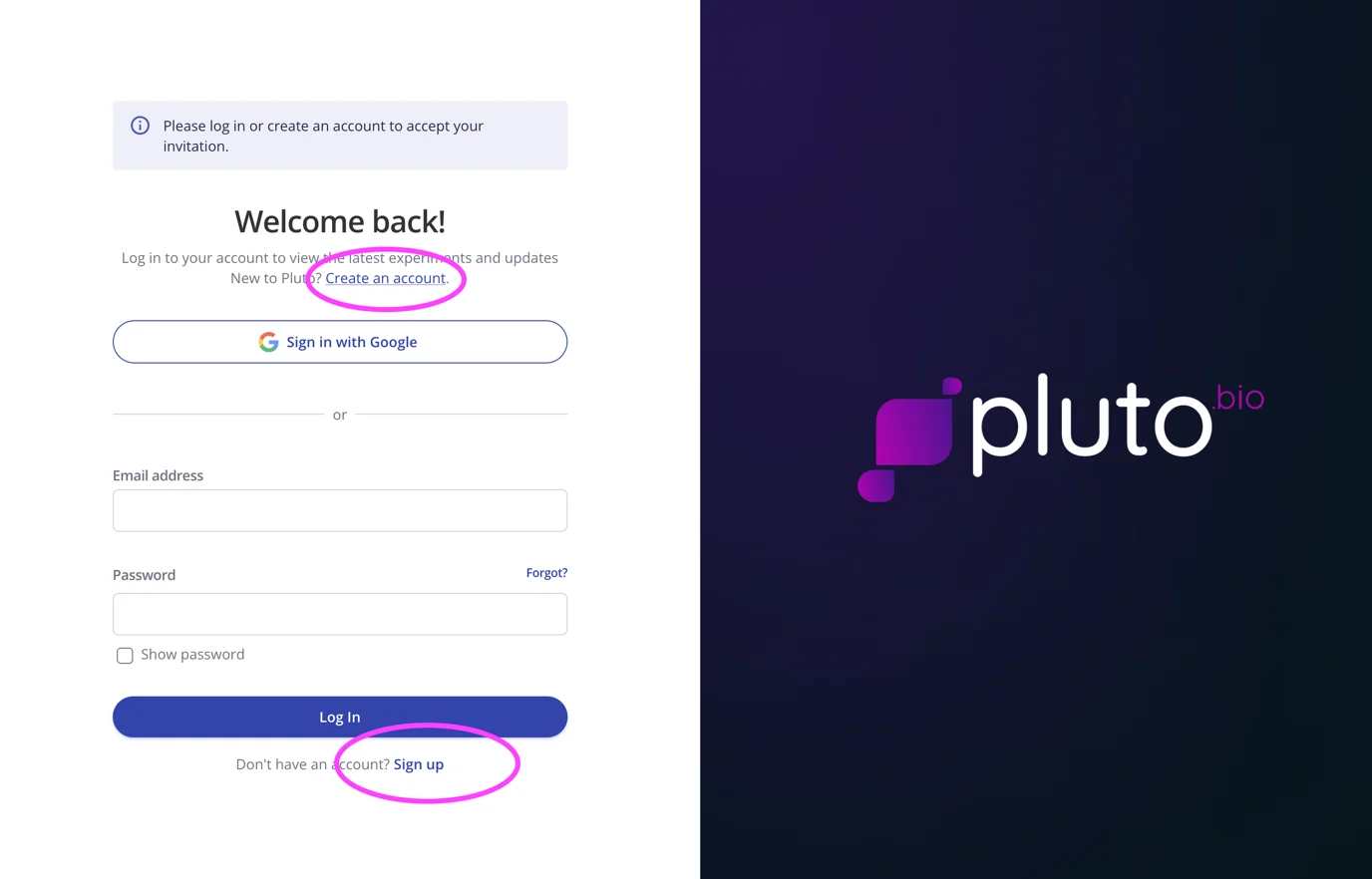
You'll be taken to the login page in your browser. If it's your first time joining a workspace, make sure to select the option to Create an Account / Sign Up:
On the sign-up page, enter your institutional address. It must match the address that the email invitation was sent to.
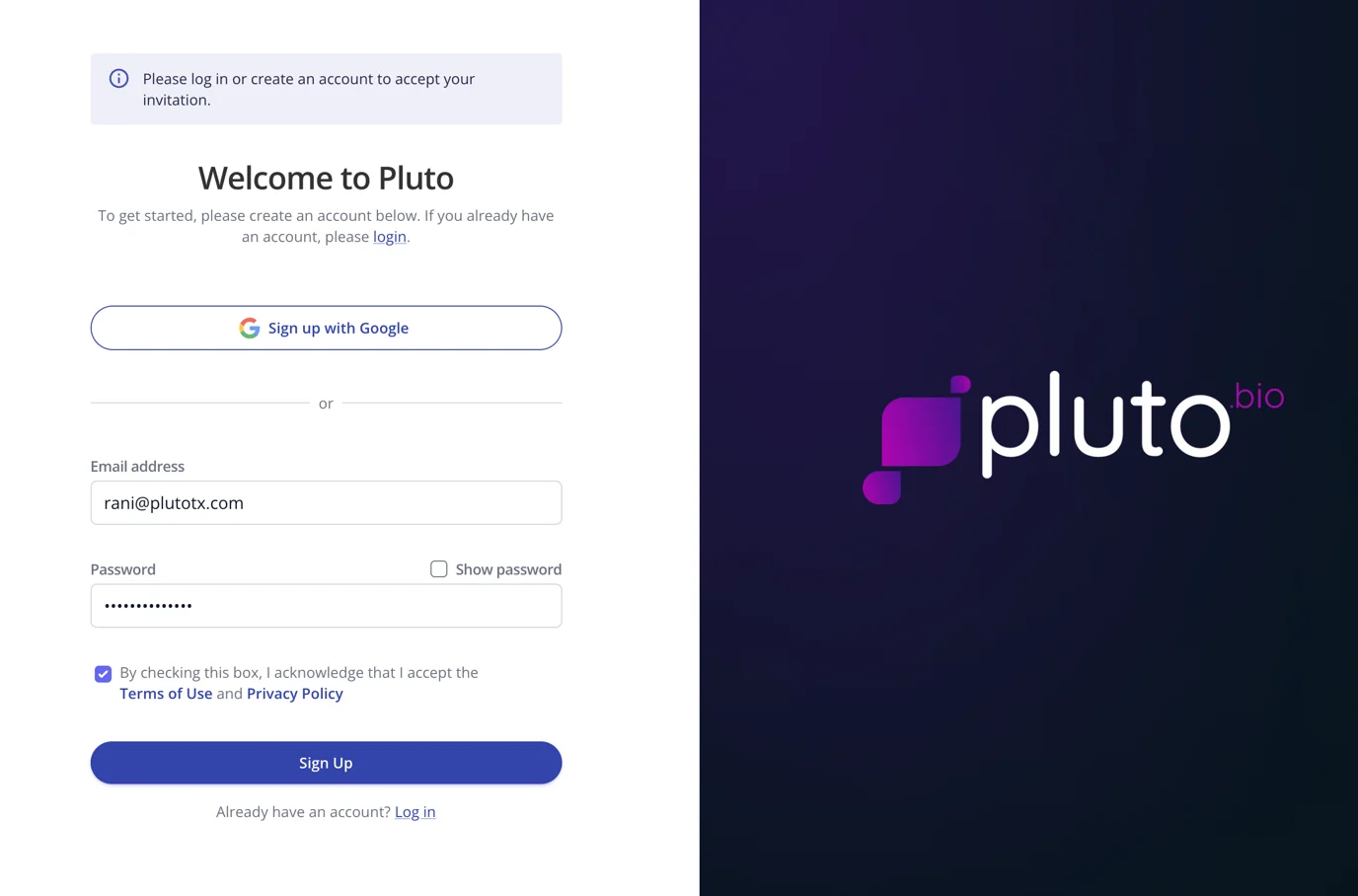
Enter a strong password and click Sign Up. Follow the subsequent steps to create your account and accept your invitation to the workspace!
What's next?
Read a Quick Start Guide
Browse Pluto product videos
Schedule a 15-minute personalized onboarding with a Pluto scientist